
INSTALLATION GUIDES / ROCK LIGHTS
Rock Light Installation Guide
Plan your pod locations, mount the lights, protect the wiring, and set up your controller for wheel-well and underbody lighting.
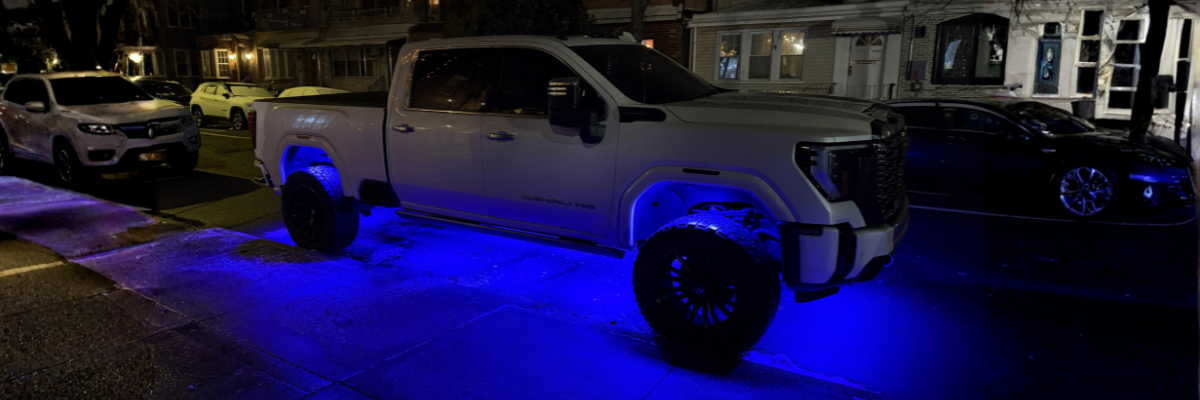
How do you install rock lights?
Test the kit, choose mounting locations with adequate vehicle clearance, and secure each pod using its approved mounting method. Route and protect the wiring, connect the matching controller and power harness, then configure the correct app and test every light before use.
Guide by Lighting Trendz · Updated October 28, 2026
Tools & Materials
- Rock lights, supplied wiring, and a compatible controller where required
- Drill and suitable bits if using screw mounting
- Screwdrivers, wire strippers, and crimper as needed
- Suitable insulated and weather-protected connections
- Zip ties and mounting hardware
- Gloves and safety glasses
Check your order before starting. A controller is included only when selected with kits that offer that option.

Step 1: Plan the Installation
Choose wheel-well or underbody locations that provide the coverage you want while keeping the lights clear of tires, steering and suspension movement, exhaust heat, and service access points.
Plan protected cable routes to a suitable controller location. Test each light with the compatible controller and the power arrangement specified for your kit before mounting.
Use the vehicle’s approved lifting and support procedure if you need access underneath. Never work under a vehicle supported only by a jack.
Step 2: Mount the Rock Lights
- Clean the mounting area and test-fit each pod.
- Choose the mounting method specified for your pod. Current Hyper Pro Max V2 pods offer built-in magnets for suitable magnetic metal surfaces, as well as screw holes.
- For screw mounting, mark the holes and check clearance behind the surface before drilling. Avoid vehicle wiring, fluid lines, and other components.
- Secure the light using the supplied or specified mounting hardware. Check that it cannot move or contact the tire or other moving parts.
Mounting options differ by series. Follow your kit instructions and ask our team if a location or attachment method is uncertain.
Step 3: Route & Connect the Wiring
- Route each light’s cable toward the controller along a protected path, away from heat, sharp edges, and moving parts.
- Secure the cables with zip ties so they cannot sag, snag, or pull on connectors. Allow enough clearance for steering and suspension travel.
- Match the pod, extension, and controller connections according to the kit instructions. Do not force connectors.
- Use suitable weather-protected connectors and insulation for any connections that require it.
For Hyper Pro Max V2, the current product instructions allow daisy-chaining up to three pods. Follow the limit and wiring layout for your exact series; plan additional runs where required.
Step 4: Connect to Power
Disconnect vehicle power using the vehicle’s service procedure before making electrical connections. Confirm the kit’s input voltage, polarity, fuse, and wiring requirements.
- Choose the appropriate vehicle power source for the supplied harness, such as a suitable battery or fuse-box connection.
- Connect the controller power leads according to their labels and instructions. Keep supplied protection and any required drivers or regulators in the circuit.
- Connect ground to the point specified for your setup. If a chassis ground is specified, use a suitable clean, unpainted ground point.
- Secure and protect the connections before restoring power.
Step 5: Program the Bluetooth Controller
Use the app identified by the instructions or QR code for your exact controller. The RGBW Bluetooth Pro setup covered by this guide uses MotoAuto; other controller versions may differ.
- Power the controller and enable Bluetooth on your phone.
- Allow the app’s Bluetooth access if prompted.
- Open the correct app and connect to the controller inside it.
- Test the colors, brightness, and other supported settings.
Step 6: Test the Installation
- Confirm every light responds to the app or remote.
- Inspect each mounting point and connector.
- Check wire clearance through steering and suspension movement.
- Correct any loose mount, pinched wire, or contact with vehicle components before use.
- Inspect the installation periodically and after wheel, suspension, or underbody service.
Common Questions
Where should I mount rock lights?
Choose suitable wheel-well or underbody locations with clearance from tires, steering, suspension movement, excessive heat, and service access points.
Do all rock lights require drilling?
No. Mounting methods differ by series. Current Hyper Pro Max V2 pods include magnets for suitable magnetic metal surfaces and screw holes; follow your exact kit instructions.
Which app controls RGBW rock lights?
The RGBW Bluetooth Pro setup covered here uses MotoAuto. Check your controller’s instructions or QR code to confirm the correct app for your version.
Is a controller included?
Check your selected kit options. A compatible controller is required for the RGBW kit and is included only when selected with the order.
Need Help With Your Installation?
Contact our team with your rock light series, controller model, vehicle, and photos of the installation.